Your tunnels.
In plain sight.
Cloudflare Tunnel routes and Access applications, together. A self-hosted dashboard for the services you run.
Install with dockerBuild from source · Public release pending
A clear view underground.
Tunnels / Routes / Access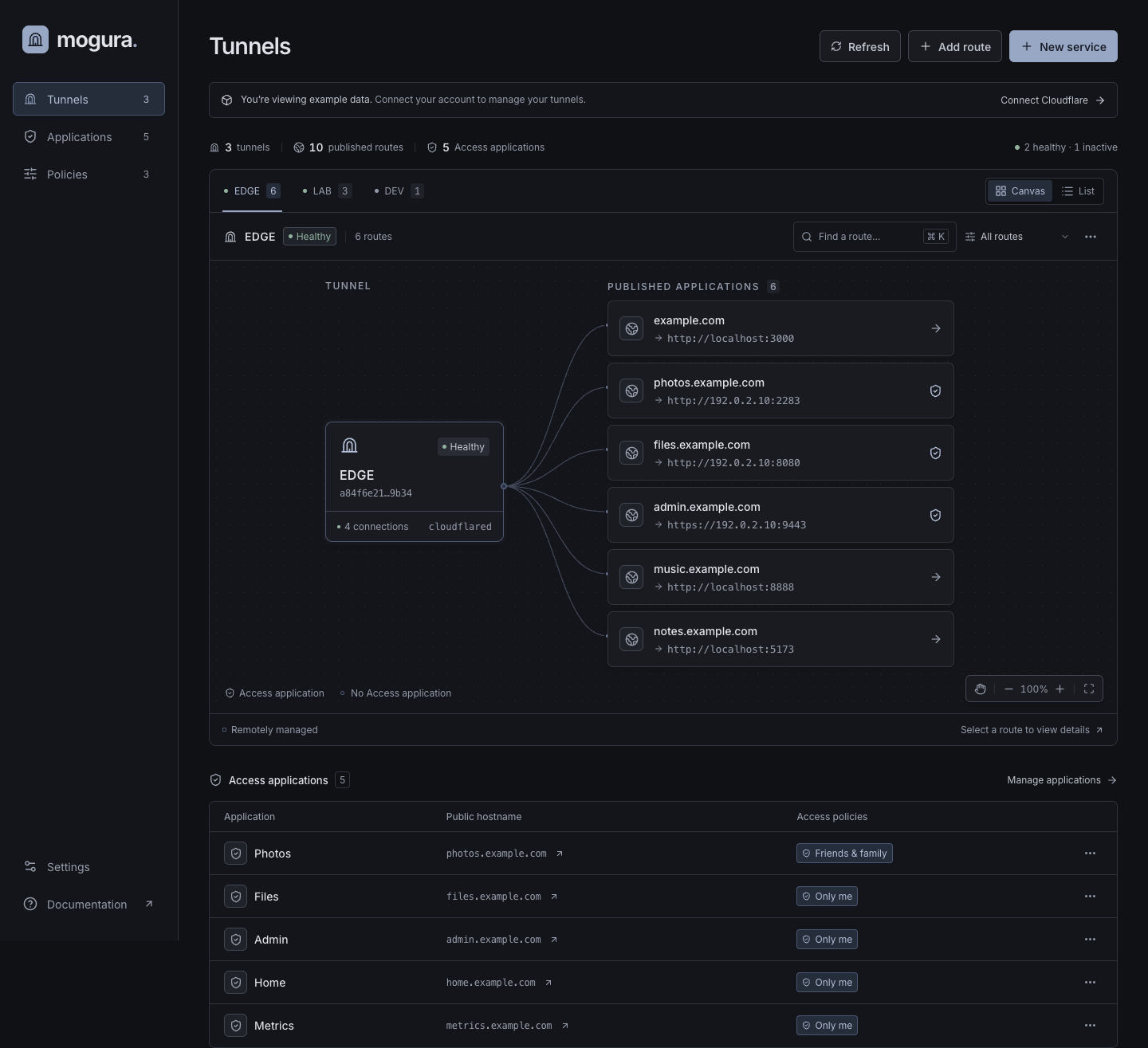
Less digging.
More doing.
- Follow every route.
- Inspect tunnels and their published routes in a canvas or a list. Search by hostname and filter by matching Access application.
- Access first. Route second.
- Create and verify an Access application with your existing policies before publishing DNS and the tunnel route, in one New service flow.
- Keep it on your own ground.
- Run the dashboard on your infrastructure. Saved Cloudflare credentials are encrypted and persist across container restarts.
Install with docker.
Your machine.
Your tunnels.
Build from a source checkout.
Mogura ships a Dockerfile and Compose configuration. With Docker and Compose installed, run this in the application’s source folder.
Public source and a prebuilt container image are not available yet. Installation currently requires an existing source checkout.
docker compose up -d --build- Open the dashboard.
On the Docker host, open localhost:3000. Compose binds to loopback by default.
- Connect Cloudflare.
Enter your account ID and API token in Settings. No environment file is needed for this connection method.
- Keep your connection.
Retain the
dashboard-datavolume when updating. It stores the encryption key and saved credentials.
API token permissions
Scope the token to your account and the zones you manage.
- Account: Cloudflare Tunnel: Edit
- Account: Access: Apps and Policies: Edit
- Zone: Zone: Read
- Zone: DNS: Edit, when creating DNS records
Before exposing the dashboard
The dashboard has no separate user login. Protect it with Cloudflare Access before exposing it to the internet. Everyone who can reach it shares its saved credentials.
Set APP_ORIGIN to your dashboard’s HTTPS origin when publishing through a tunnel. This is the application address, separate from this landing page.
The local default is http://localhost:3000. For a public tunnel, set APP_ORIGIN to your own HTTPS origin, for example https://dashboard.example.com. If cloudflared runs on the host, point it to http://localhost:3000. In a shared Docker network, use http://dashboard:3000.
Still finding daylight.
Mogura is in development. The public source repository and container distribution are being prepared.
There’s no public download to link yet. When the source is public, installation instructions will start here.